
We’re into the final stretch of our time together in 336, and will be reflecting this week on the major themes we’ve covered in the course and you’ll identify which ones you think will be most useful to you when you start leading your own groups of learners. Enjoy!
Learning Objectives
- Create an individual sketchnote to identify, summarize and visualize the main themes and takeaways from the course.
- Complete & submit any outstanding assignments
Pre-class Activities:
An excellent demonstration of how Sketchnoting can be a very effective tool for review. This video focuses on sketchnoting in the science classroom. (8 min)
Class Time
Lesson Plan Presentations
- The list of presenters will be put here once the presentation order is determined
Reflecting on Your Highlights from the Course
We’re going old-school EdTech this week as you Sketchnote your key takeaways and important ideas from this course! Even though we’ve all experienced EDCI 336 together this semester, everyone’s sketchnotes will be different because everyone’s brought different things with them to the class, and we will be teaching learners of different ages, so what is very important to me might not be as important to my classmate.
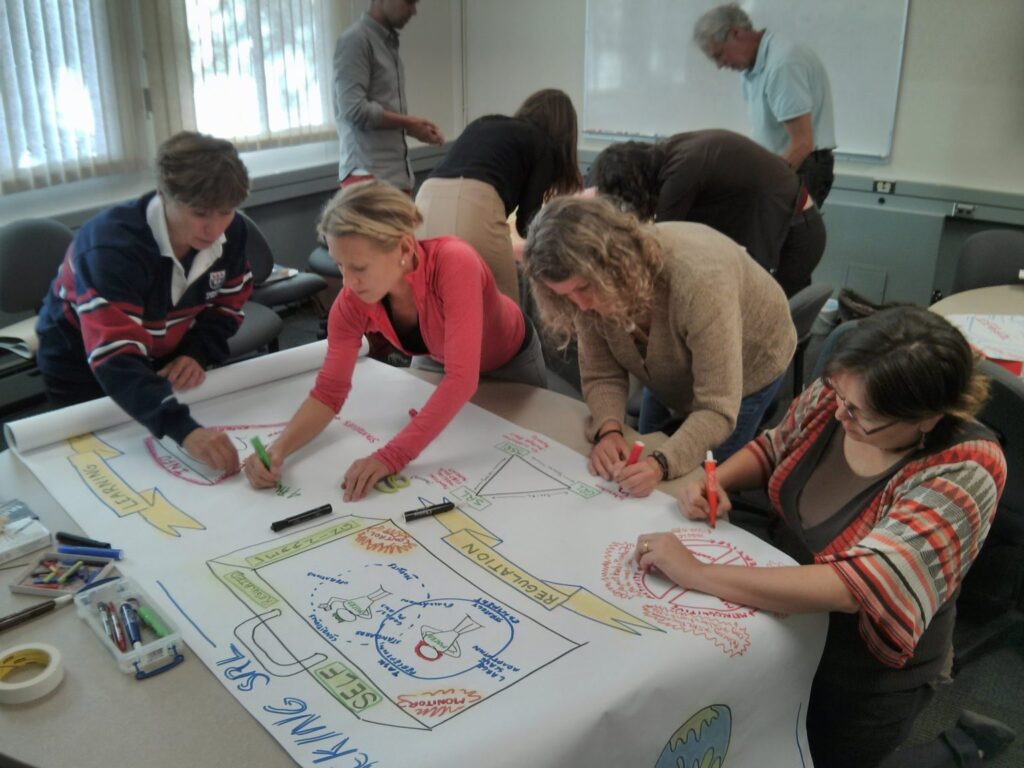
The photo below is of a group of education students sketchnoting to review the main themes and takeaways from a course on Self-Regulated Learning (SRL) at the end of the semester on a much larger sheet of paper than we will be using.
Hands-On Activities
Step 1: Brainstorm with Post-It Notes (20 min)
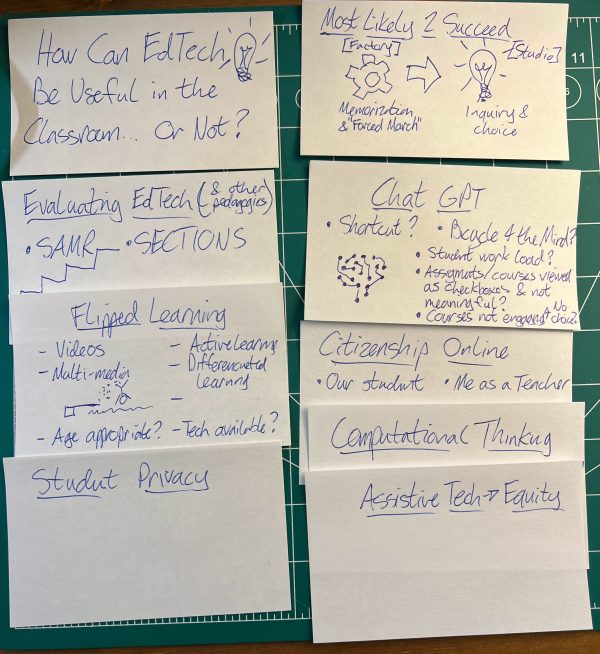
- 10 min: First on your own, use Post-It notes to brainstorm and identify concepts, ideas, and pedagogies that were most important to you from each week of our course. Use one post-it note per week and include the two or three top concepts or tools for you.
- 10 min: Compare your Post-It notes with your partner, and discuss any differences between them. Because of the different backgrounds and grade levels you will teach, there may be significant differences, and that is just fine.
- Feel free to create new Post-It notes for yourself based on your discussion with your partner.
Step 2: Organize Your Post-It Notes (5 min)
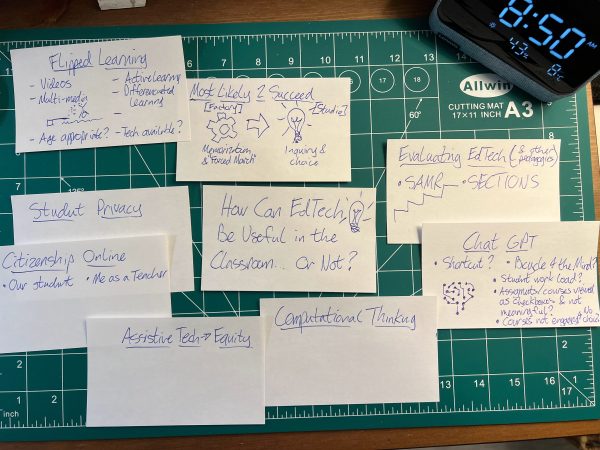
- Next, individually you will organize your Post-It notes in a way that will allow creates visual relationships between the notes to help you prepare to make your sketchnote.
- This is optional, but you might want to quickly draw simple doodles on your Post-It notes to visualize some of the concepts, and ideas you’ve identified.
Step 3: Draw Your Sketchnote on Paper (30 min)
- Continue to work on your own, and use a provided sheet of paper, along with your pens, and highlighters (highlighters are optional) to create a sketchnote, using your organized Post-It notes to guide you.
- Create Relationships Between Ideas with arrows or other connecting doodles.
Step 4: Post a Photo of Your Sketchnote to Your Blog (5 min)
- Take a picture of your sketchnote and post it on your blog.
- Please add a little bit of text to give some context to your sketchnote reflection.
In Class Homework
- Post a Photo of Your Sketchnote to Your Blog (5 min)
- Take a picture of your sketchnote and post it on your blog.
- Please add a little bit of text to give some context to your sketchnote reflection.
- Complete any outstanding assignments (check Brightspace to see what if any assignments you still need to submit to meet the course requirements)
EdTech Training Resources
These are mostly, but not all, free Professional Development training resources for EdTech tools and related resources:
- Podcasts on Teaching & Learning – Highly recommended by Rich & easy to access if you already listen to podcasts!
- Education Apps, Website, & Digital Citizenship Resouces
- Getting Started with Google Classroom
- Microsoft for Education Training
What to do with your blog?
Here are your basic options:
- Back up your blog post to your local hard drive (which you should do no matter what).
- Leave it on OpenEd.ca as a portfiolo – take down posts that might not be appropriate for your age group, leave your best work.
- Migrate your blog to WordPress.com and delete your OpenEd.ca blog.
- Delete your OpenEd.ca blog, and back-up your blog posts on your hard drive.
Here is a post with details on how to complete all of the four options above: Post-Class Optional WordPress Instructions.
Last Words… For now
It has been a pleasure working with all of you this semester! Please know that after our time together in 336 is coming to an end, I’m always available to chat about EdTech questions or bounce ideas off as you move into your own classrooms over the coming months and years. You’re all going to be wonderfully engaged teachers!

Leave a Reply