This week we looked at online accessibility and inclusive technology in classrooms. We used the site “WAVE” (https://wave.webaim.org) to analyze websites and their accessibility. I honestly didn’t even know tools like this existed and found it fun and interesting to test different websites. I tested a few different websites as well as my blog. The first site I tested was Kirbys Source for Sports, specifically their hockey gear section (https://www.sourceforsports.ca/collections/hockey-equipment). Their site had an AIM score of 1/10, which is the lowest I found.
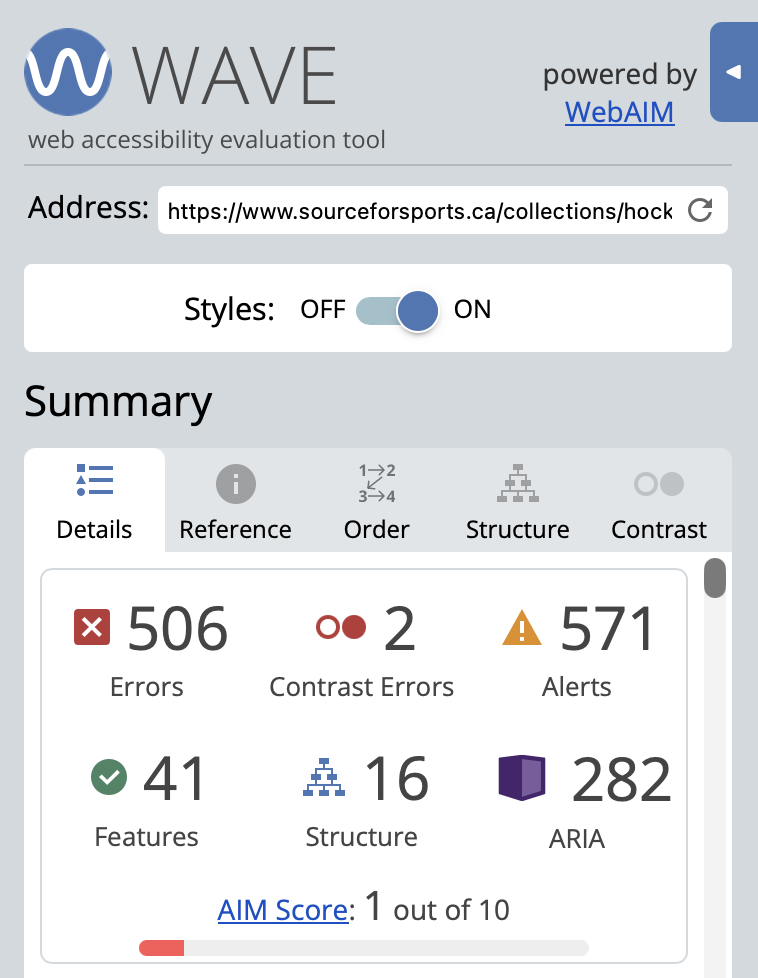
I didn’t find this very surprising as this website has always been an absolute pain to navigate and use. The next site I tested was the NHL website (https://www.nhl.com). This website had an AIM score of 9/10.
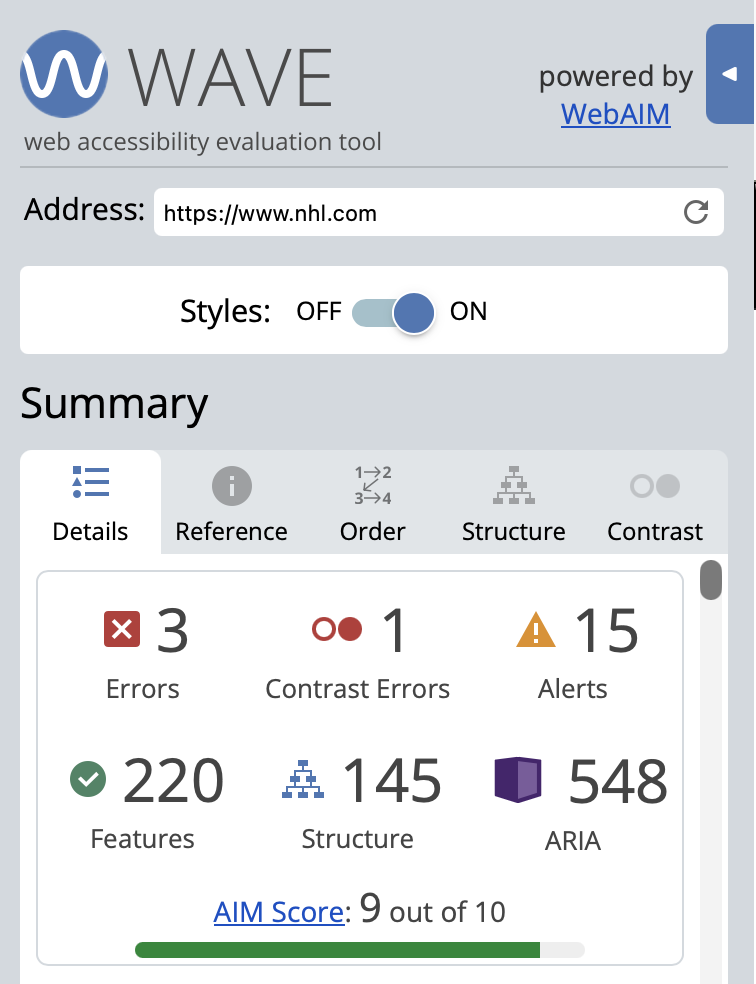
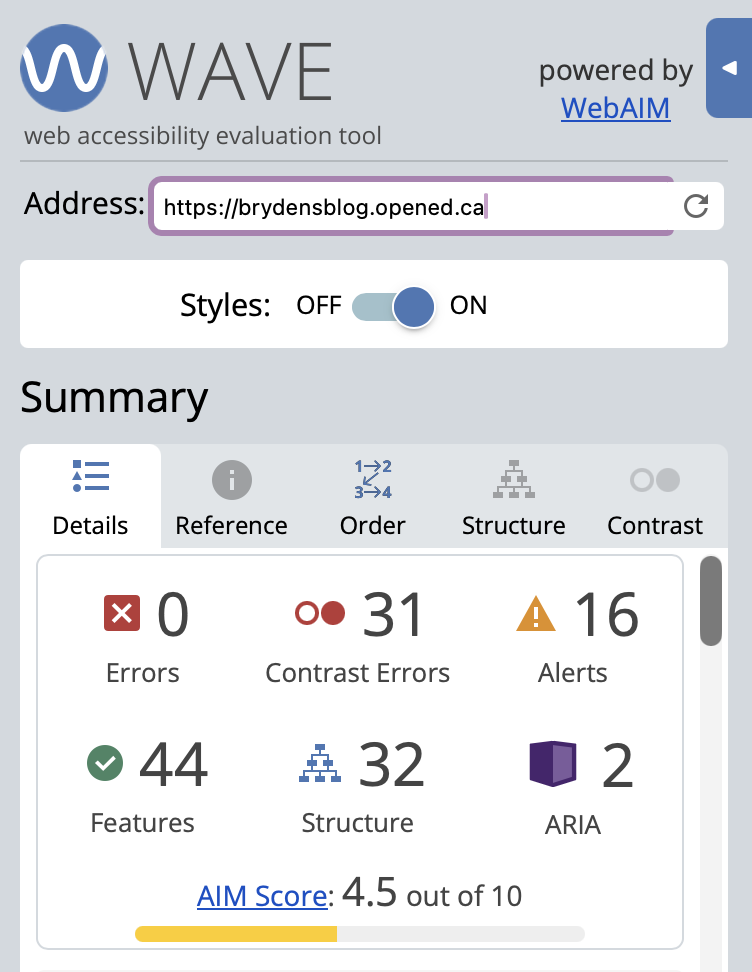
I was definitely surprised by this, but after exploring the website I can see why it scored so high. Everything is nicely structured and laid out, the text contrast is good, and there’s lots of features. The next site I tested was this blog. This blog site has an AIM score of 4.5/10. My biggest issue is contrast so on this post I will make some changes and try to make this site more accessible. I am also going to ensure that my graphics don’t infringe on copyright, are cited properly and have alt text descriptions.
We were also given some prompts and links to help guide this week’s reflection. The first article we were assigned was “XR from a UDL perspective” (https://udl.berkeley.edu/accessibility/xr-accessibility/xr-udl-perspective). This article discusses technology like virtual and augmented reality being integrated into learning settings. If designed and implemented right these tools can make learning and content more accessible to students with learning disabilities. They have the ability to provide these learners with more immersive learning experiences that they may not usually be able to access. I think this is such a cool way to increase accessibility. Some people don’t have the ability to participate in lab settings, virtual tours, and more. One concern I do have is that this technology is probably pretty expensive and might be hard to get a hold of.
Other tools that can support UDL are screen readers, closed captioning, adaptive keyboards and more. I had never really looked into adaptive keyboards before but after doing some research they seem awesome and are definitely something I would like to have as a support tool in my class. The website “Better Living Through Technology” (https://bltt.org/keyboards-for-disabled-people/) gave me so many examples and gave a quick description of each.
The article “Accessibility and Equity in Extended Reality” (https://carleton.ca/tls/experiential-learning-hub/accessibility-and-equity-in-extended-reality/) discussed virtual and augmented reality, and how when designed and used right they can provide engaging and accessible learning experiences. This resource also highlights some issues with virtual and augmented reality, some users get cyber sickness, cant spend a long time in the headset, and face equipment barriers. If these barriers can be avoided or removed, virtual and augmented reality can be very beneficial in an education setting for learners with disabilities or different needs.
I think the possible benefits of these technologies outweigh the possible cons, especially if it is designed and implemented properly. These technologies provide students with the chance to participate in activities or experiences that they normally may not be able to do. Im really looking forward to seeing how these technologies continue to develop and if they will become more prevalent in BC classrooms.
Update: I was able to raise my blogs AIM score from a 4.5 to a 9.6!
Citations:
Wave Web Accessibility Evaluation Tools. WAVE Web Accessibility Evaluation Tool. (n.d.). https://wave.webaim.org/
Hockey equipment. Source for Sports. (n.d.). https://www.sourceforsports.ca/collections/hockey-equipment
Official site of the National Hockey League. Official Site of the National Hockey League. (n.d.). https://www.nhl.com/
XR from a UDL perspective. XR from a UDL Perspective | Universal Design for Learning. (n.d.). https://udl.berkeley.edu/accessibility/xr-accessibility/xr-udl-perspective
Charlie. (2017, August 20). Keyboards for people with disabilities. Better Living Through Technology. https://bltt.org/keyboards-for-disabled-people/
Teaching and learning services. Accessibility and Equity in Extended Reality. (n.d.). https://carleton.ca/tls/experiential-learning-hub/accessibility-and-equity-in-extended-reality/


Leave a Reply