This week in class, we talked about gamification and game-based learning. Our lesson began with Kara Dawson, the District Information Technology Support Teacher for the Comox Valley (SD 71). Kara started with a general overview of Minecraft, then explained why teachers should use it. She explained that by having students use Minecraft in educational ways, it supports student learning, collaboration, and builds problem-solving skills. It was really interesting to see how there are pre-built worlds for students and educators to explore. I really liked that as educators, the website allows teachers to search by subject. Kara used the example of cybersecurity, which I found fascinating. I like how a lot of the lessons and challenges are not multi-day activities; you can complete them in one day! I really liked this resource, and now knowing that I will be doing my practicum in a grade 2 classroom, I think that using Minecraft and other gamification and game-based learning will support students and find ways to make learning fun.
Gamification and Game-based Learning
Next, our instructor Randy explained the difference between gamification and game-based learning. Gamification is lessons that are enhanced by playing games, such as playing Kahoot in class. Game-based learning is learning that is embedded throughout playing games; students learn new information through the games they play. Then, Randy sent us off to explore some games. I decided to check out Be Internet Awesome for grades 2 to 8. I decided to play the game called Kind Kingdom.
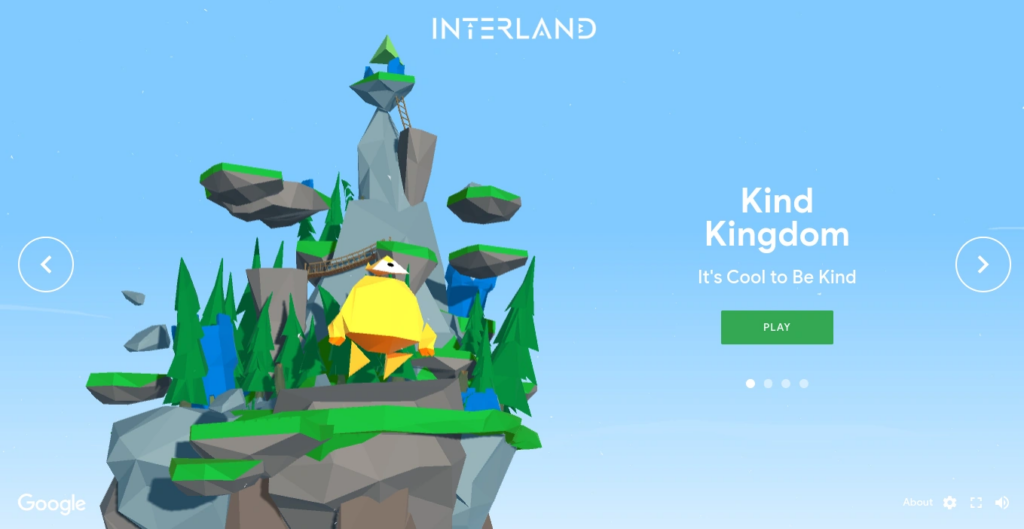
This game was interesting…
I think that since the resource was meant for grades 2 – 8, it felt like a game that would be better suited for grades 1 – 3, maybe grade 4. The game was fun at first; you were a little robot that went around spreading kindness and stopping/reporting bullies. After a few minutes of this, the game became boring because it was highly repetitive. I did like, at the end, however, how there were check-for-understanding questions and a “mini game” where you had to go around to all the sad robots and spread kindness; that was the only way you could stop the megabully (showing that kindness can spread and if enough people share support and kindness, it can defeat bullying and hate).
Game-based lesson using MagicSchool AI
Randy also challenged us to create a lesson plan using generative AI. I chose to see if MagicSchool AI could make a Grade 2 lesson on financial literacy using a game-based approach. I would say that MagicSchool AI was easy to use and very education-friendly. My main complaint is that MagicSchool AI seemed to not initially recognize the BC school system. I had to manually paste the link for the BC Mathematics 2 curriculum (which is no big deal, but it took some organizing to have everything work). I wasn’t in love with the lesson plan and found the formatting slightly challenging. I decided to share a Uvic lesson planning template and have MagicSchool AI give me all the information to input into the Google document. It took a long time and as I was transferring information I found that the Big Ideas, Curricular Competencies, and Content were not fully accurate and aligned with the BC Curriculum, which was disappointing. I also noticed that the lesson plan aligns more with gamification instead of game-based learning because the games it suggested all support the content the teacher is sharing, but the learning isn’t actually happening through playing the game. I hope that as time goes on MagicSchool AI becomes more friendly and usable for BC teachers as it seems to be a great tool!


Leave a Reply