Welcome to Week 3 of our Class! This topic is very important as it explores more deeply some practical guidelines for designing and creating memorable and persuasive multimedia learning materials which have become so important during the Covid-19 pandemic, but continue to have significant value today. We will also get hands-on to create an interactive tutorial screencast video that conform to multimedia learning principles on your WordPress website.
Topic 3 Learning Objectives:
- Describe how Multi-media materials can help make instruction more engaging
- Create and edit an instructional screen-captured video
- Edit your screen-captured video by adding a title and credit graphics
- Edit your video by cutting something out of the middle of it and adding a transition
- Describe how you could incorporate screencasting or video to document your inquiry, document your reflections, or build out your edtech resource assignment
- Describe how you could use screencasting or videos to help achieve the learning objectives for a class at the grade level you would like to teach at
- Make a YouTube video (or video uploaded to your WordPress website) interactive using the open-source H5P tool
- Consider creating a personal learning network
Pre-Class:
Listen to this excellent overview of Multimedia Design for Learning by my colleague Kevin Alexander (5 min)
The excellent video below by Dr. Ray Pastore video also provides several examples of how educators use multimedia well and not so well while reviewing several Multimedia Learning Principles. Please take care to note of the following while you watch the video (17 min):
- Which multimedia principles did Dr. Ray Pastore not follow in his video about MML principles?
- Please take notes of the key points of the video with pen and paper as you watch it.
- Pausing the video can be helpful so that you don’t miss any key points as you make notes and related doodles or sketches.
Note: If you would like subtitles for the above video, please watch it on YouTube.
Class Time:
Flipping the Classroom
We’ll begin our face-to-face class time exploring Multimedia Learning Theory, instructional videos, screencasting, and flipped learning.
Personal Learning Networks
“PLN is short for Personal Learning Network. The definition of a PLN is broad, but the consistent meaning of a PLN is that it involves a network or group of trusted participants that interact and learn from each other on a regular basis. A PLN is a place to communicate with others, share resources, create, and share/collect new information. PLNs can take place in different locations such as in person or through social media applications (BlueSky, Twitter, LinkedIn, blogs, instagram, Zoom, and more).”
“PLNs differ from professional development in that they continue to take place for long periods of time, sometimes months, even years. PLN members are also considered professional members. In PLN groups, members can get professional advice and feedback from individuals that are not directly involved in one’s professional life. While PLNs have been around a long time, they are recently taking on a new look as social media and networking is changing the way people connect. Social media and technology removes barriers to collaboration.” – Kelly Nelson-Danley, How to Get a PLN
BlueSky
For high school teachers, Bluesky serves as a decentralized alternative to platforms like X (formerly Twitter). It focuses on user-driven curation rather than algorithmic manipulation, which offers distinct professional advantages and technical hurdles. Some of the potential benefits of using BlueSky as a PLN are:
- Unlike X or Facebook, Bluesky allows you to choose your own “feeds.” You can follow specific educator-built feeds (e.g., #EduSky) to see only professional content without the platform forcing unrelated viral or controversial posts into your timeline.
- New users can use “Starter Packs”—curated lists of reputable educators (like EdTech experts Matt Miller or Alice Keeler)—to follow dozens of quality accounts instantly. This bypasses the months of “silent” lurking usually required to build a network.
- As of 2026, the platform remains ad-free. This reduces digital clutter and ensures that the “credibility” of academic sharing isn’t diluted by promoted content or “pay-to-play” visibility
- Bluesky uses a “stackable” moderation system. You can subscribe to community-run “labelers” that filter out specific types of toxicity or misinformation, providing a safer “workroom” environment for professional discourse.
- Because it runs on an open protocol, you own your identity. If you decide to leave for another compatible platform in the future, you can theoretically take your followers and data with you, avoiding “platform lock-in.
Hands-on Lab Time:
Now we will get hands-on and you will make your own Screencast tutorial, edit your screencast and then make your screencast interactive using the H5P plugin on your OpenEd.ca WordPress blog. Let’s dive in!
Step 1 – Screencast recording:
- Select a website or web game that you are familiar with that you can demonstrate how to use in your screencast tutorial. For example, I’m a UnSplash.com fan so I’d open up Pexels in preparation for making a screencast of how to use it.
- Work through this screencasting with Zoom activity and create a 1-2 minute tutorial video for how to use the website you chose to demonstrate (25 min)
Step 2 – Edit your Screencast:
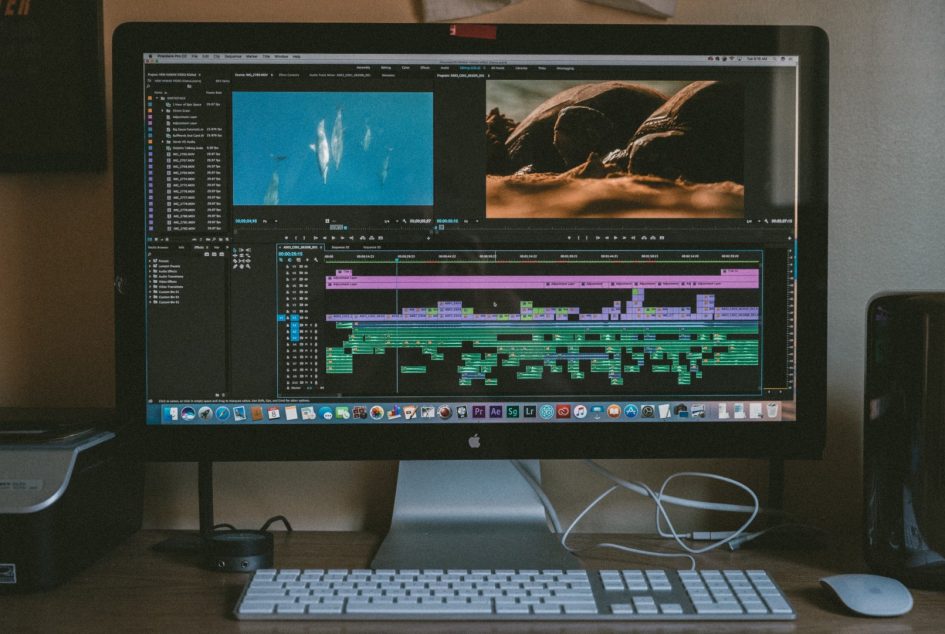
- I would like everyone to develop at least a basic competency in Video editing as video editing is an important tool for creating multimedia learning objects. Here is an example of the screencast style of video I would like you to create, using your own screencast recording, right after you finish watching it (2 min):
- Edit the screencast video you just created using either the Mac or Windows tutorials depending on your laptop (please use the screencast video you just created and not the “miniature goat” video linked to in the tutorial).
- Following the instructions in the tutorial, either upload your screencast video to YouTube (and then embed it in your Blog), or upload your video directly to your Blog. You will eventually include your video as part of your weekly reflection.
Step 3 – Make your Screencast Interactive with H5P:
- Use the screencast tutorial video you just created, and use this H5P tutorial to turn it into an interactive on your blog: Interactive Videos with H5P (30 min)
BlueSky PLN Option
If you choose to create a free BlueSky account, the following is how to find high-quality Canadian educator lists:
-
Use the Internal Search:
-
Open Bluesky and go to the Search (magnifying glass) tab
-
Search for terms like
"BCed Starter Pack", or"Canadian Teachers" -
Filter your results by clicking the Starter Packs tab (usually located between “Feeds” and “Lists”)
-
-
Check Key Organization Profiles:
-
Visit the profiles of major Canadian education bodies. For example, the BC Teachers’ Federation (@bctf.bsky.social) is active and often curates lists of affiliated educators
-
-
Leverage Global Education Hubs:
-
Search for Alice Keeler or Matt Miller (@ditchthattextbook.com). These “super-connectors” maintain massive directories of educators, which often include specific “sub-packs” for different regions, including Canada
-
-
Try the “K-12 School Library Professionals in Canada” Pack:
-
A highly active pack specifically for Canadian school library staff exists at
go.bsky.app/NzyNjwn
-
Learning Pod Meeting:
Spend 5-10 minutes today with your learning pod members and discuss this week’s topic, and feel free to use the blog prompts in the homework section below to get your discussion going. If you’d like you can make some notes for your blog post during your discussion while your thoughts and ideas are fresh in your mind.
Here are some documents for your reference, and I hope that everyone is professional and kind as you provide feedback to your peers’ blog posts:
- Blog Post Peer-Review guidance <- IMPORTANT INFO
Homework:
- Weekly blog post to document your learning in class and to document progress on your inquiries (incorporate audio, video, and screen video capture into your blog posts this week).
- Review the 336 Blog Post Rubrics to make sure you’re including all the minimally required elements for your weekly blog posts.
- Here is a on the topic and/or technology of the week.
- Include your H5P tutorial video and then use two or more blog prompts that follow it:
- Include the screencast tutorial video you created in your blog post, including H5P interactivity.
- Reflections on whether you think including H5P tools would potentially be a useful tool at the grade level you hope to teach (or not).
- Describe how you could use video or audio editing as the assignment medium for the subject and grade level you will be teaching (if at all), and what you could do to make the assignment as engaging as possible.
- Describe how Multi-media Learning Theory can help us create more effective instructional videos and tutorials.
- Describe what a flipped Flipped Classroom teaching model could look like at the grade level you’d like to teach along with some of the strengths and weaknesses of this approach for your grade level.
-AND- - Use the category, “weekly-reflection“.
- Share your post with your learning pod at your next meeting (usually at the end of class time).
- If you haven’t already, please use PSII tools to start to plan your inquiry (and select a topic or two to choose from if you haven’t already)
- Look at the bottom of this page for Free Inquiry topics use in the past for inspiration.
- If you haven’t already, please Book a 1-1 Meeting with Tany to discuss your individual Free Inquiry (see the Class Resources Post in the Brightspace announcements).


3 Pingbacks